Family tree reports: print charts, sheets and lists to PDF
The Reports page collects everything you might want to print, share or file: charts of a person's ancestors, sheets for a family, timelines, and lists for the whole tree. There are thirteen in all.
Where to find it
Open Tree options → Reports…. If you open it from a person's page, that person is already chosen for the reports that need one. Every role can use reports.
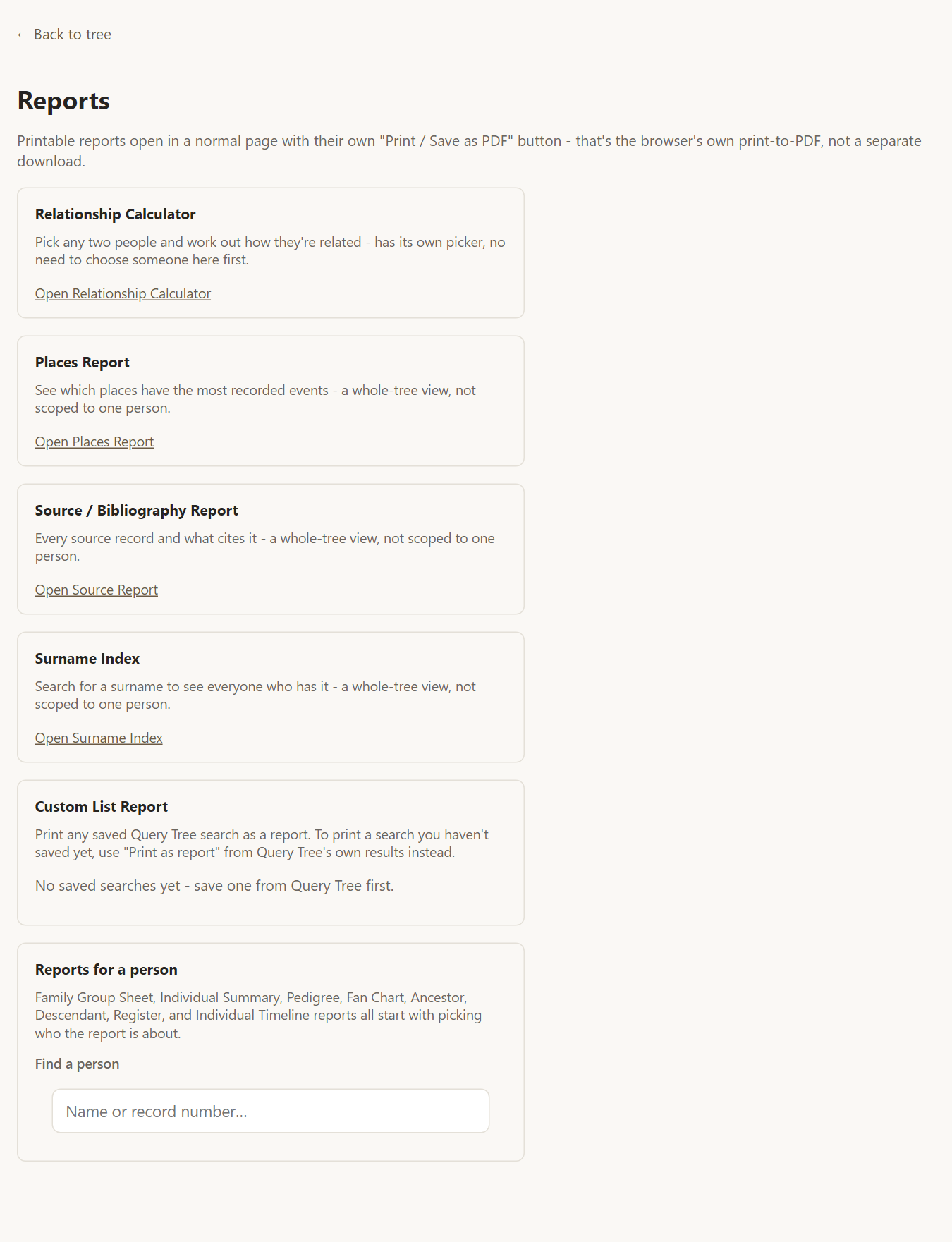
Reports about a person
These start by picking who the report is about, using Find a person:
- Family Group Sheet - a couple, their marriage and their children on one page.
- Individual Summary - everything known about one person.
- Pedigree chart - a numbered list of ancestors, generation by generation.
- Fan Chart - a half-circle chart of ancestors, colored by family line.
- Ancestor Report - ancestors as an indented outline.
- Descendant Report - descendants as an indented outline, with every spouse listed.
- Register Report - a narrative report with numbered generations.
- Individual Timeline - a person's life events, plus relatives' births, marriages and deaths, in date order.
Reports about the whole tree
These need no starting person:
- Relationship Calculator - pick two people and it works out how they are related, such as "second cousin twice removed".
- Places Report - search a place to see every event recorded there.
- Source / Bibliography Report - every source and what cites it.
- Surname Index - search a surname and list everyone who has it.
- Custom List Report - print any saved Query tree search.
Printing and saving as PDF
Each printable report has a Print / Save as PDF button. It uses your browser's own print dialog, so choose "Save as PDF" as the destination to create a file. That works on Windows, Mac, Linux and iPad without any extra software. Reports are laid out to flow across as many pages as they need.
Frequently asked questions
Can I include living people in a printed report? Reports are for people who already have access to the tree. If you plan to share a printed report or PDF widely, consider masking living people first, or export with masking. See exporting your tree.
Why is my ancestor chart empty above a certain person? A chart stops where no parents are recorded. Reports say "no further ancestors recorded" when that is the case, and use a different note where a report simply stops at its limit.
Can I choose how many generations to show? The ancestor and descendant reports run as far as your data goes, so nothing is cut short.