Descendant Report: everyone descended from a person, as an indented outline
The Descendant Report starts with one person, often the earliest ancestor you know, and lists everyone who descends from them as an indented outline. It shows a whole family branch at once.
How to open it
Open Tree options → Reports…, choose Descendant Report and pick the ancestor.
What is on it
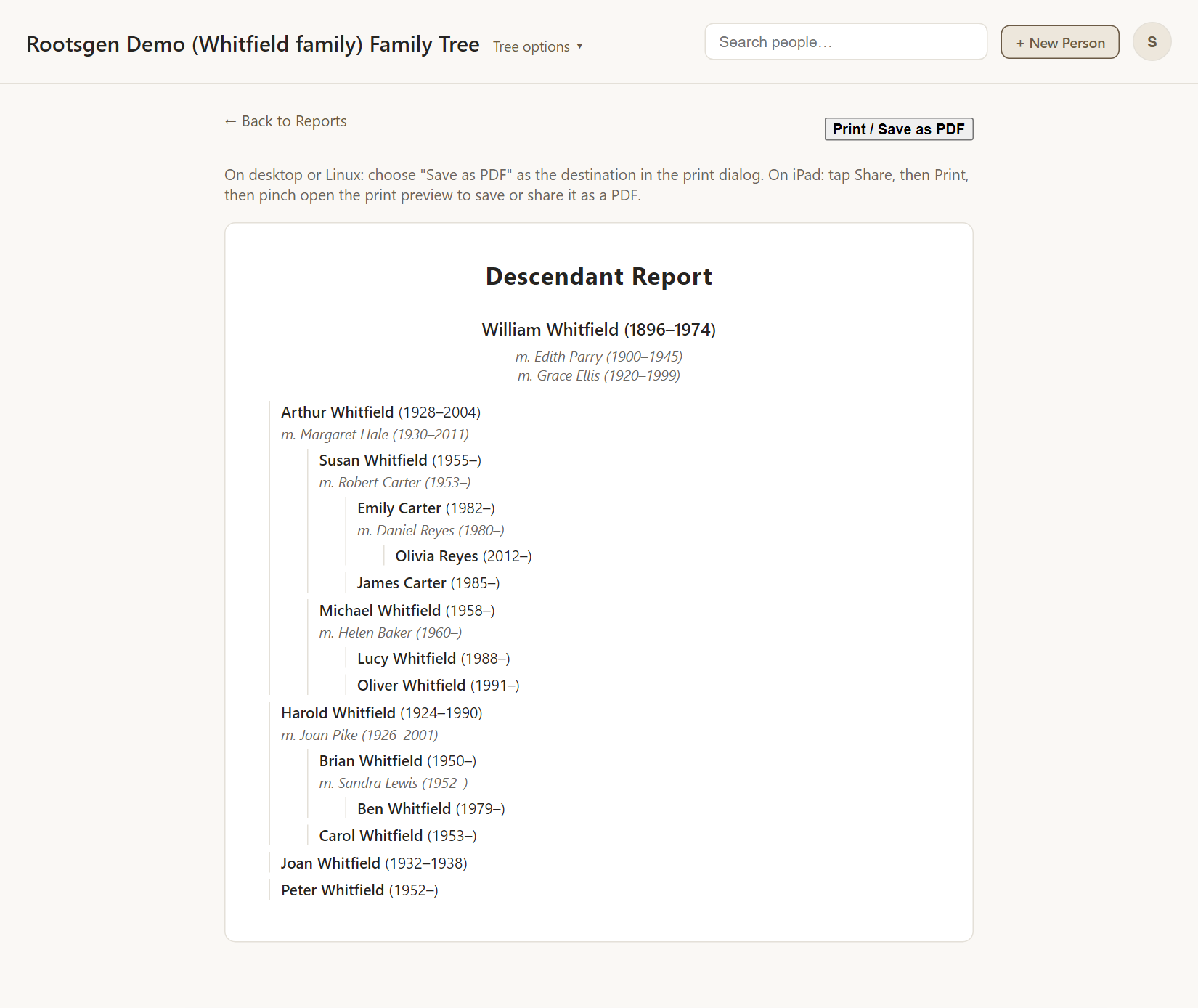
- Children appear indented under their parents, each generation one step further in.
- Every spouse of every person is listed on their own line with their dates, so people with more than one marriage are shown in full.
- Life dates and places are shown for each person.
Good uses
- The whole family of a great-grandparent on a few pages, ideal for a reunion.
- Seeing how many branches came from one couple.
- Checking that every child of a marriage has been entered.
For a version written as prose, see the Register Report.
Every report has a Print / Save as PDF button that uses your browser's own print dialog, so choose Save as PDF to make a file. See all reports.
Frequently asked questions
Does it include the descendants' spouses? Yes, each spouse is listed with their dates. Their own ancestors are not, since they are not descendants.
How far down does it go? As far as the tree does.
Is there a chart version? Yes: the descendants chart.