Query tree: search your family tree by name, date, place, event or relationship
Query tree answers questions such as "Which Carters were born in Bristol before 1900?" or "Who are all the descendants of this couple?". It combines simple filters, and lets you save a search, print it as a report or export it to a spreadsheet.
Where to find it
Open Tree options → Query tree…. It is available to everyone with access to the tree.
Build a search
Fill in as many filters as you like. Only people who match all of them are listed.
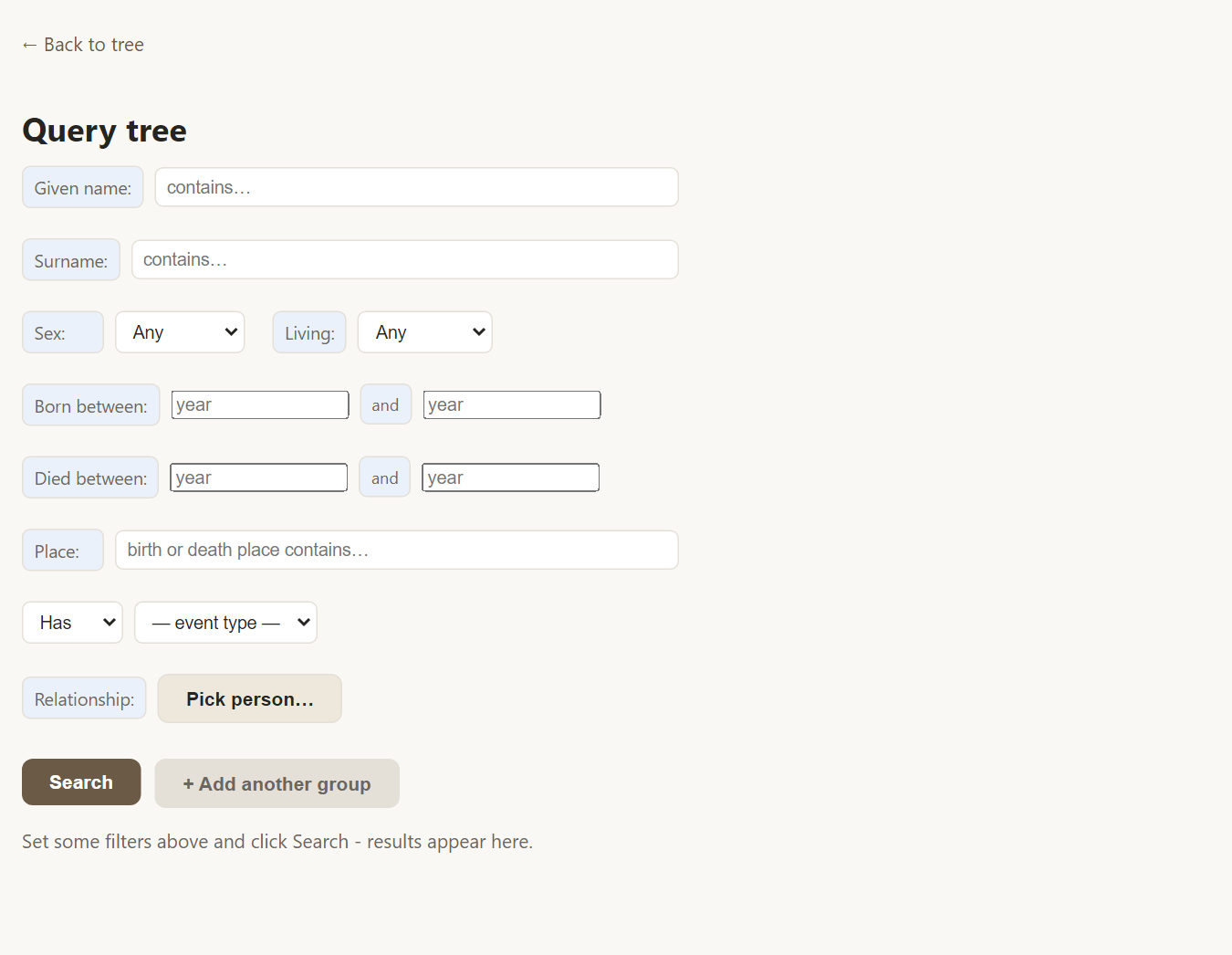
- Given name and Surname match any part of a name, so "car" finds Carter.
- Sex and Living narrow the list to men, women or people marked as living or deceased.
- Born between and Died between take a range of years. Partial and approximate dates such as "about 1850" or "before 1900" are understood.
- Place matches part of a birth or death place.
- Has / Lacks finds people who do or do not have a particular event, such as Baptism, Burial, Emigration or Occupation. It is handy for spotting missing research.
- Relationship lets you pick a person and find their descendants or ancestors, within a number of generations or without limit.
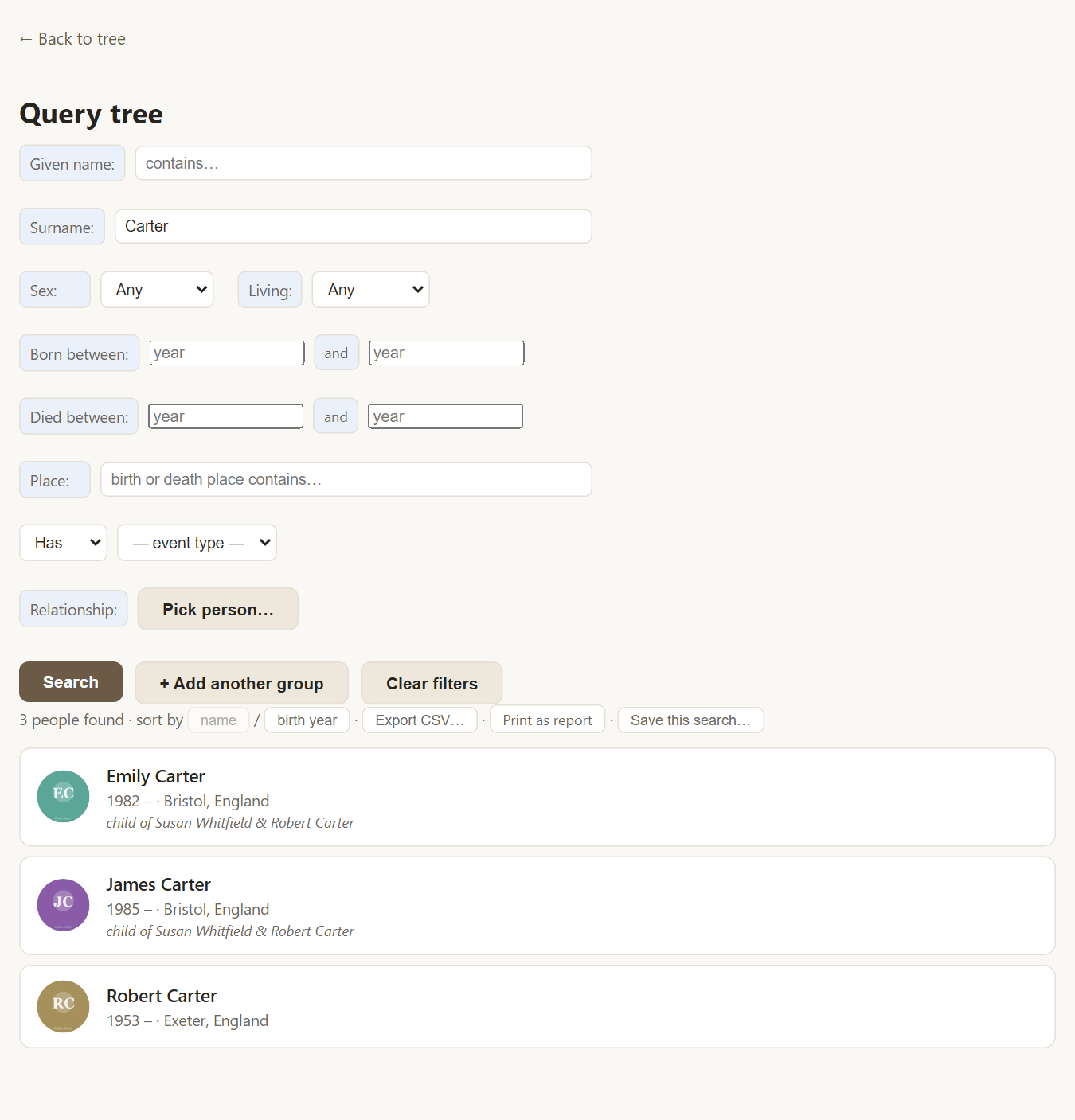
Press Search and the matching people appear below with a photo, life years, birthplace and parents.
Combine searches with "either/or"
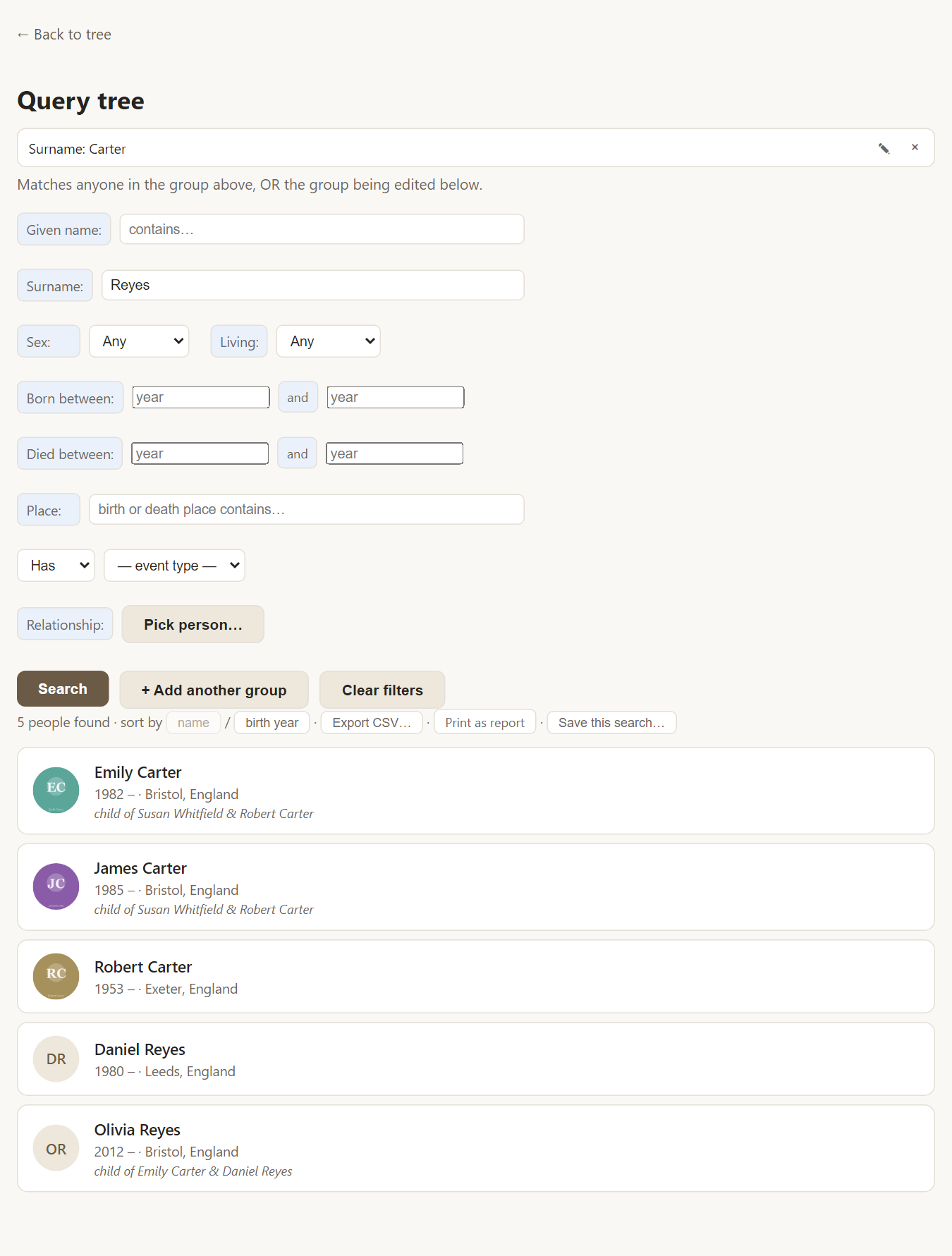
Sometimes one set of filters is not enough: "everyone called Carter, or everyone called Reyes". Choose + Add another group. The first search becomes a tag at the top, and a person is listed if they match any of the groups.
Save, print and export
Under the result count you can sort by name or birth year, and:
- Save this search… keeps it under a name so you can run it again with one click.
- Print as report opens a print-ready list. See reports.
- Export CSV… downloads the results as a spreadsheet file.
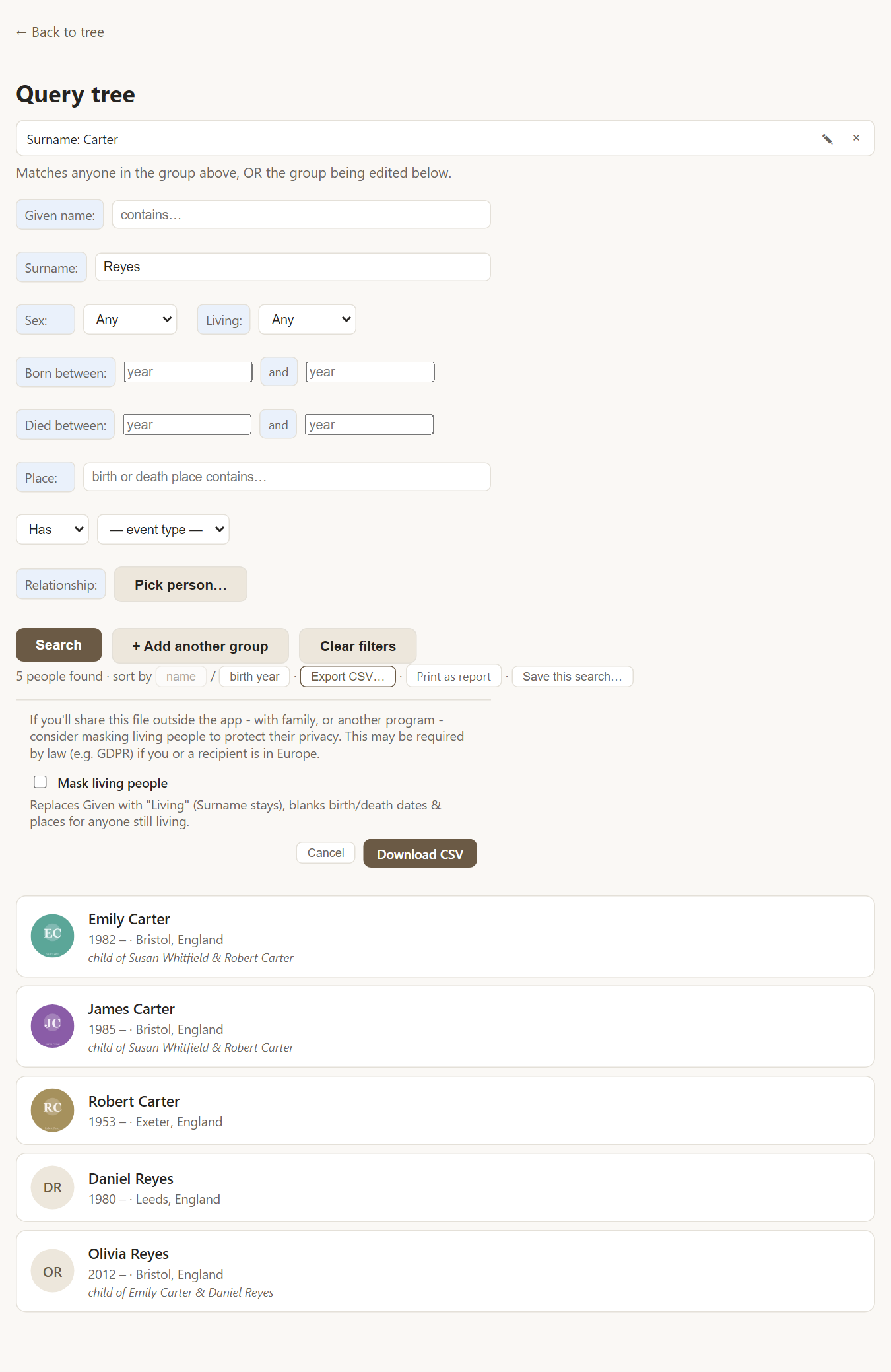
When you export, Rootsgen asks whether to mask living people. Owners and co-owners can choose; for editors and viewers, living people are always masked, so the details of living relatives are protected when a file leaves the site. See exporting your tree.
Frequently asked questions
Is it case sensitive? No. "carter", "Carter" and "CARTER" all match.
How do I find someone with no birth date recorded? Choose Lacks with the event type Birth. To find people with no death recorded, use Lacks → Death and set Living to deceased.
Can I search across several trees? A search runs inside the tree you have open. Trees are kept separate on purpose.