Ancestor Report: a person's ancestors as an indented outline
The Ancestor Report follows a person's family back as an outline: each person is indented under their child, and the father's and mother's lines are followed separately. It reads like a table of contents for your ancestry.
How to open it
Open Tree options → Reports…, choose Ancestor Report and pick the person.
What is on it
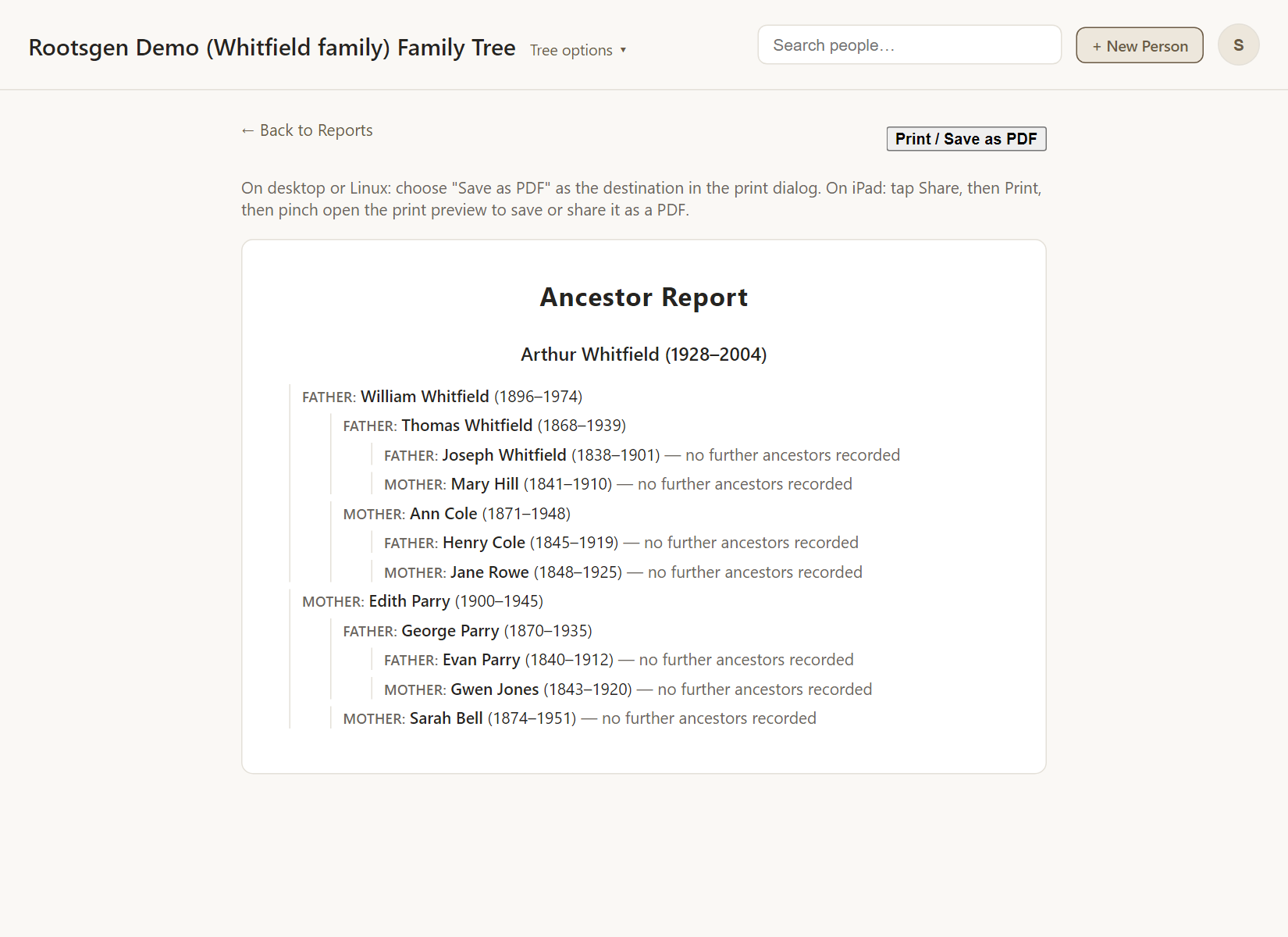
Each entry gives a name, life dates and places, and its role such as "father" or "mother" of the person above it. The report says where a line ends: "no further ancestors recorded" means the tree has nothing more on that line.
Ancestor Report or Pedigree Chart?
- The Pedigree Chart is a flat numbered list by generation, best for cross-referencing.
- The Ancestor Report is a nested outline, best for reading one line at a time.
Good uses
- Following the father's line all the way back, then the mother's.
- Sending one line of the family to a relative who shares it.
- Finding the end of each line, which is where your research needs to go next.
Every report has a Print / Save as PDF button that uses your browser's own print dialog, so choose Save as PDF to make a file. See all reports.
Frequently asked questions
Does it include both parents? Yes. Every ancestral couple gets a full entry for each partner and their own ancestors.
Can I see it as a picture? Yes: the ancestors chart and the Fan Chart.
Are photos included? No. The report is text. Use the Individual Summary for photos.