Fan Chart: a half-circle chart of your ancestors, colored by family line
A Fan Chart shows ancestors as a half-circle, like the spokes of a fan. The person you start from is in the middle; each ring out from the centre is one generation further back, and every wedge is one ancestor. It is the most visual of the reports, and looks good framed.
How to open it
Open Tree options → Reports…, choose Fan Chart and pick the starting person.
What is on it
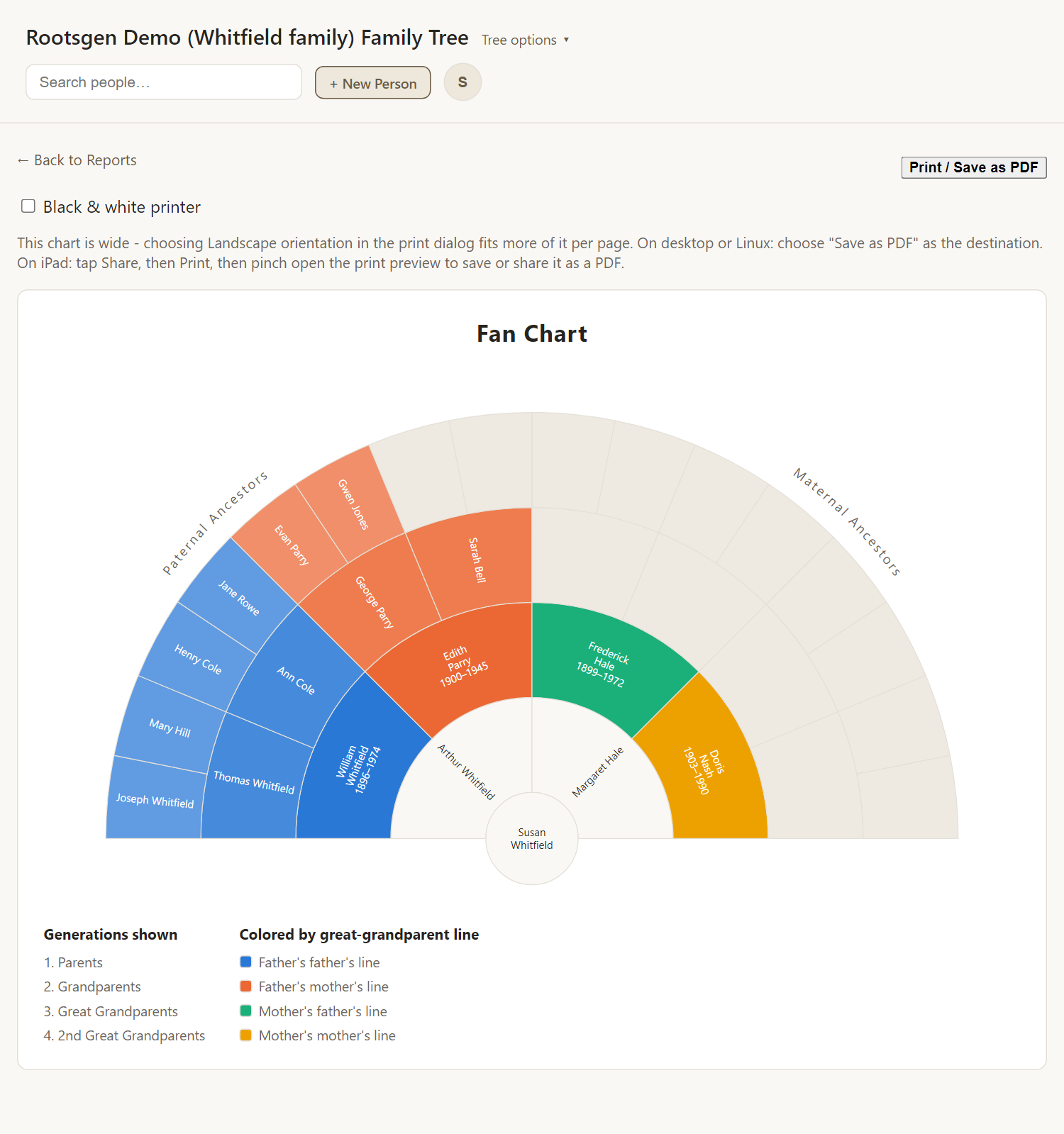
- The father's line runs across one side and the mother's the other.
- Wedges are colored by great-grandparent line (four colors), fading lighter with each generation.
- Names are sized to fit, and turn to run along the wedge in the outer rings.
- A legend below explains the colors and the generations shown.
Empty wedges are ancestors not recorded yet. A gap is research still to do.
Print it
The chart is wide, so choose Landscape in the print dialog. A Black & white printer checkbox switches to a plain white chart with dark text, which reads better on a monochrome printer. Leave it off for a color printer.
Every report has a Print / Save as PDF button that uses your browser's own print dialog, so choose Save as PDF to make a file. See all reports.
Frequently asked questions
Why is one side empty? The person's father or mother has no recorded parents. Pick a person with more ancestry for a fuller fan.
How many generations does it show? It runs to the end of the recorded ancestry.
Can I print it large? Yes. It is a vector drawing, so it stays sharp at any size when saved as a PDF.