Pedigree Chart: a numbered list of a person's ancestors
The Pedigree Chart is the standard way to write down someone's ancestors: a numbered list, generation by generation. The person is number 1, their father is 2, their mother 3, and so on, using the standard ancestor numbering that genealogy societies and researchers expect.
How to open it
Open Tree options → Reports…, choose Pedigree Chart and pick the starting person.
What is on it
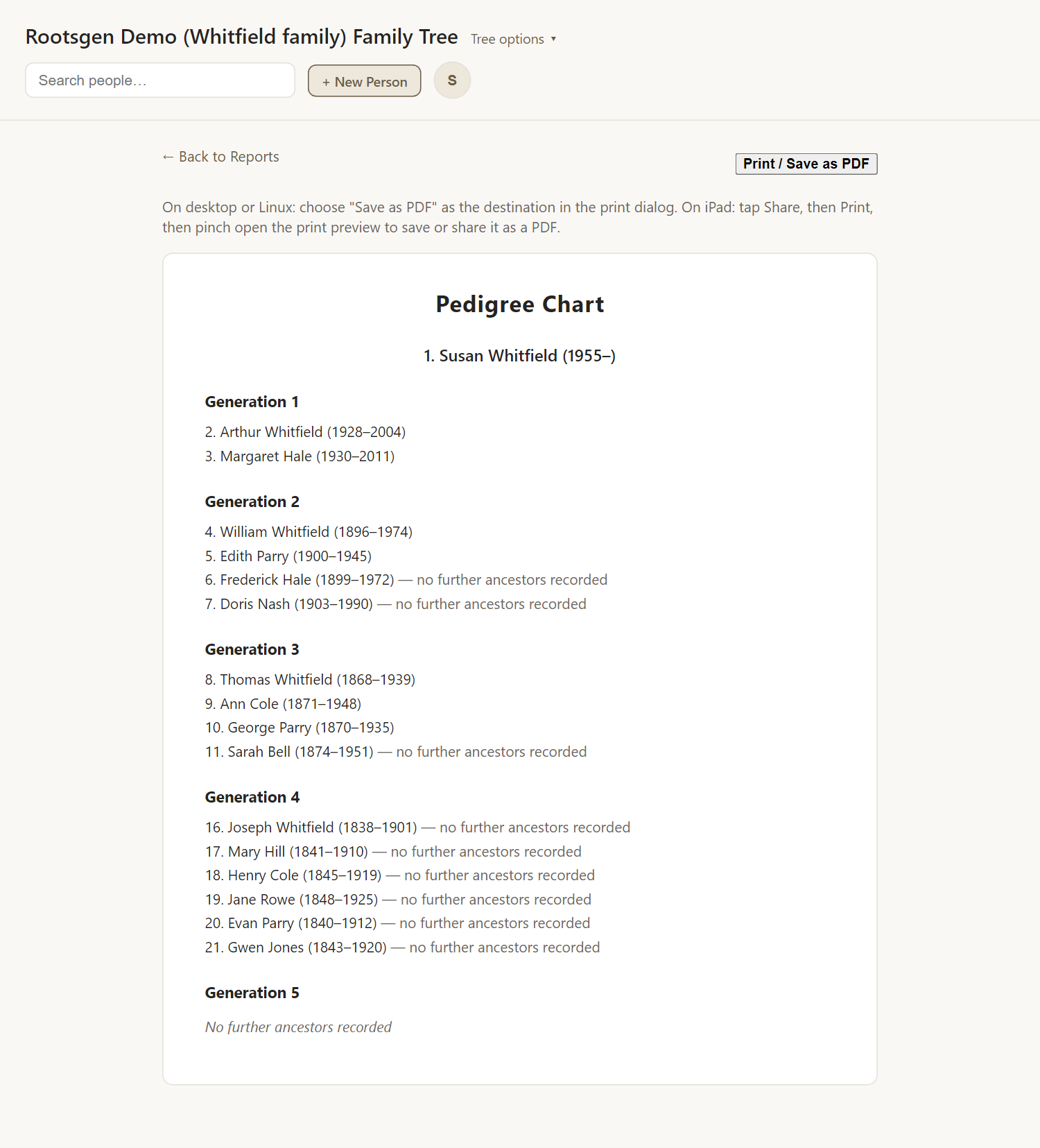
Each generation is a section: Parents, Grandparents, Great-grandparents and further back. Every entry has its number, name and dates and places. It runs back as far as the tree goes and stops when a whole generation has no recorded ancestors.
Reading the numbers
Doubling the number finds the father, and doubling plus one finds the mother. So 5 is a woman, whose father is 10 and mother 11. That makes the list easy to cross-check against any other pedigree.
Good uses
- A compact summary of a line for a society or a research request.
- A cross-reference sheet: numbers match the Register Report and other numbered lists.
- Spotting brick walls: a gap in the numbers is a missing ancestor.
Every report has a Print / Save as PDF button that uses your browser's own print dialog, so choose Save as PDF to make a file. See all reports.
Frequently asked questions
Is this the same as the ancestors chart? The chart is interactive. The pedigree is a list you can print.
Is there a version shaped like a tree? Yes: the Fan Chart.
Why does it stop? A generation with no recorded parents ends the list.