Family tree statistics: people, families, dates and surnames at a glance
Tree statistics gives you a one-screen summary of a family tree. It is a good first stop after importing a GEDCOM, because it shows at a glance whether everyone came across, and a good habit before you share a tree, so you know what you are sharing.
Where to find it
Open Tree options → Tree statistics…. Every role can view it, including people with view-only access.
What the numbers mean
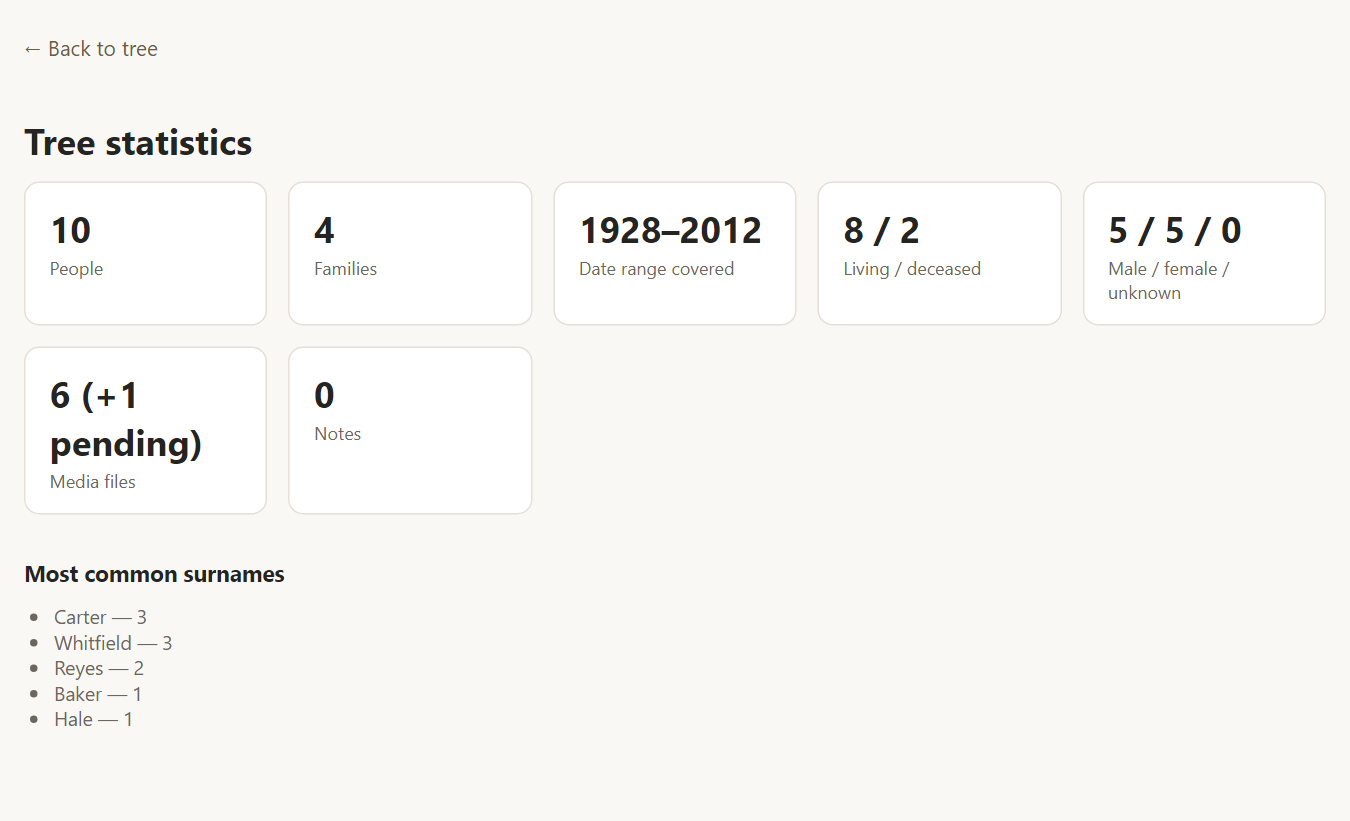
- People and Families are the number of individual and family records in the tree.
- Date range covered is the earliest and latest years found in the tree's dated events.
- Living / deceased is how many people are marked as living, and how many are not.
- Male / female / unknown is the split by recorded sex. A large "unknown" count usually points to records worth reviewing.
- Media files counts the photos and documents attached. A note such as "(+1 pending)" means the GEDCOM mentions a file that has not been uploaded yet. See importing media.
- Notes is the number of note records.
- Most common surnames lists the surnames that appear most often, with a count for each.
Using the statistics
- Check an import. Compare the People and Families counts with your original program. If they differ, see merge and compare or run Validate tree.
- Spot gaps. A tree whose date range starts at 1850 tells you how far back the research goes, and a long list of people with unknown sex suggests records that need attention.
- Follow a surname. Found an interesting surname in the top list? Use Query tree or the Surname Index to list everyone who carries it.
Frequently asked questions
Do the statistics include living people? Yes. Living people are counted along with everyone else, and the page shows counts and surnames only.
Why does the count differ from my other program? Rootsgen counts the people and family records in the tree. If the numbers differ, run Validate, which lists duplicate-looking people and records that connect to nobody.
Can I print or export the statistics? The page is designed to be read on screen. For printable output, see the Reports and the CSV export in Query tree.