Browse your family tree: parents, spouses, children and photos in one view
The heart of Rootsgen is the person view. It shows one person at a time with their whole immediate family around them, so you can walk up, down and across your tree by clicking a name, without ever getting lost in a chart.
The two-pane view
On a computer the screen has two halves. The left is for browsing: photos, family cards, and children. The right is the editable record for the same person. See editing people.
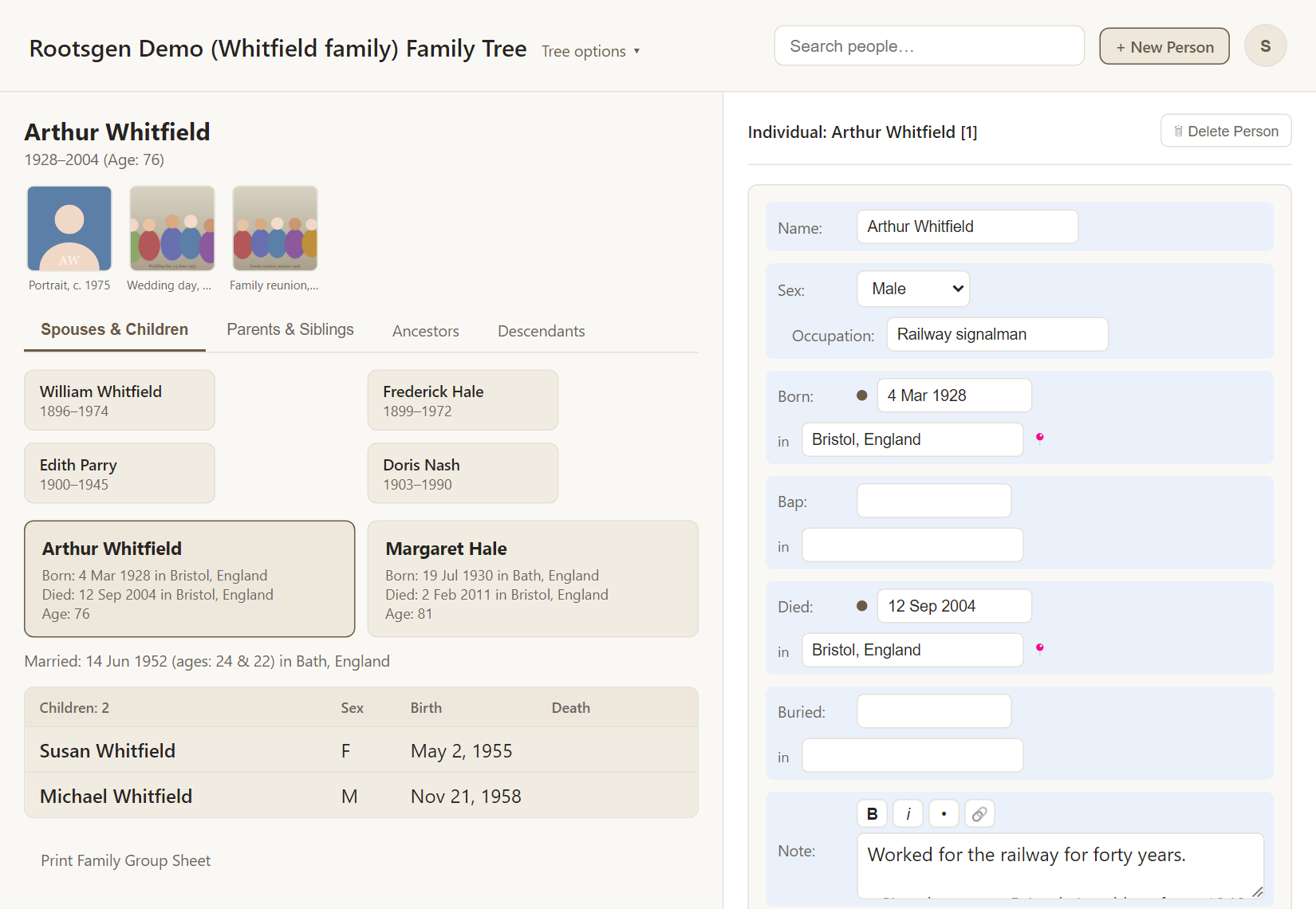
The browse pane
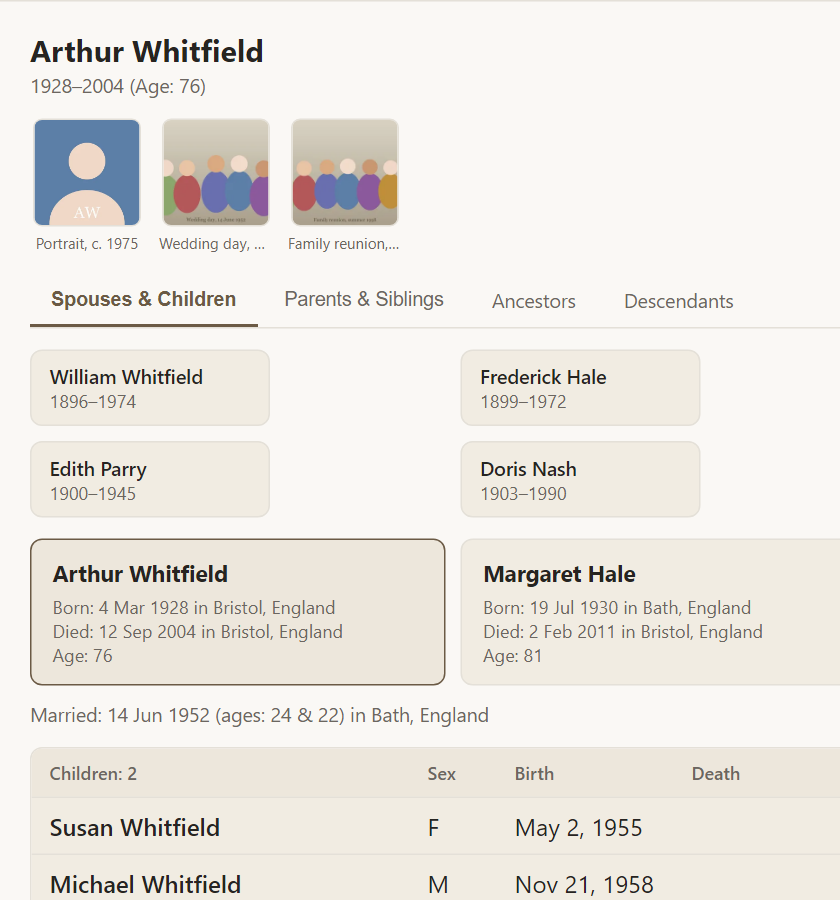
- Photos across the top open in a viewer. See photos and documents.
- The couple card shows the husband on the left and the wife on the right, with birth, death and age. The layout stays the same however you arrive, so a couple never swaps sides.
- Under it, Married: gives the date, the couple's ages and the place.
- The children table lists each child with sex, birth and death. Click a name to move to that person.
- Above the couple sit both sets of parents, so one click takes you up a generation.
Parents and siblings
The Parents & Siblings tab shows the person's grandparents, parents, and the whole family they grew up in, with their brothers and sisters in order.
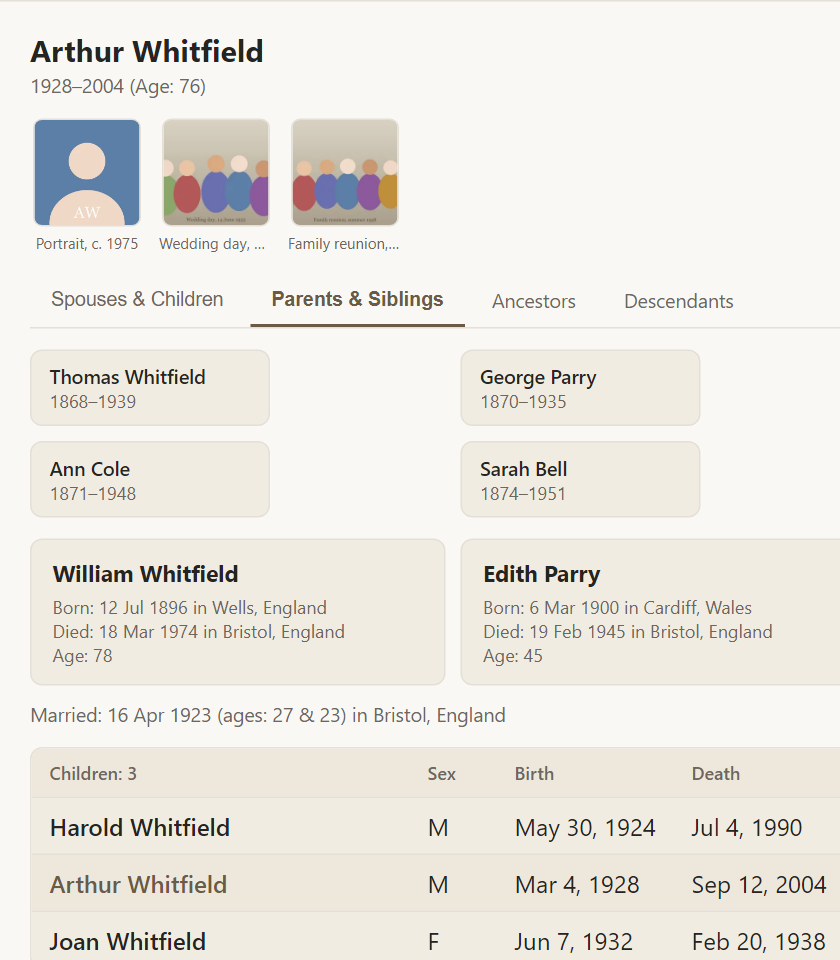
The Ancestors and Descendants tabs open full-page charts. See ancestor and descendant charts.
Find anyone instantly
The Search people… box at the top of every page is the quickest way to jump anywhere. Start typing and matching people appear straight away, each with a photo, life years, birthplace and who they are related to.
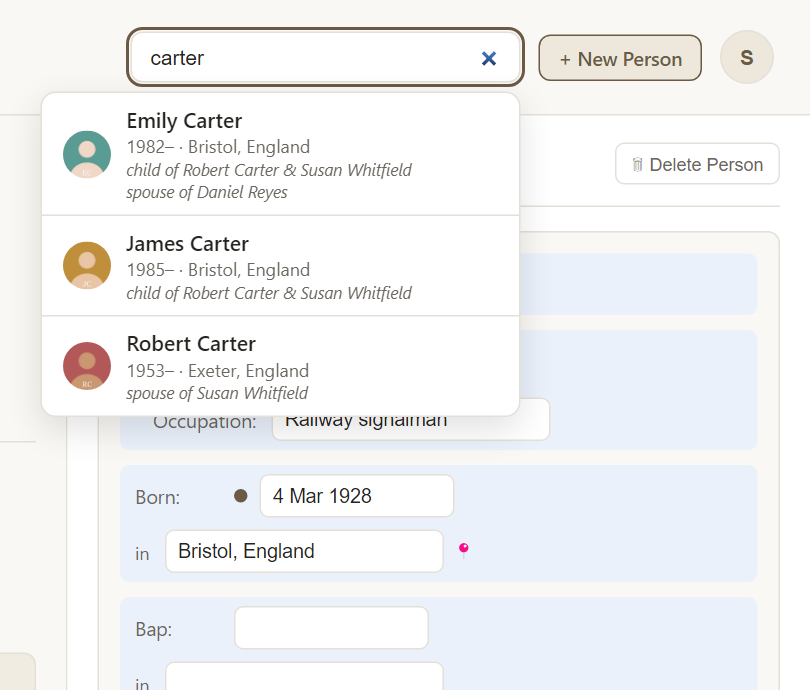
Choose a person to open them, or see all results for a longer list.
Where you land
When you open a tree it opens on its default person, which the owner chooses in Tree settings. If you prefer, turn on Reopen wherever I left off in Preferences and Rootsgen remembers your last person in each tree.
Frequently asked questions
Can viewers browse too? Yes. People with view-only access see everything you see, with the edit fields locked.
How do I print a family? Use Print Family Group Sheet under the children list. See Family Group Sheet.
Why is the couple always the same way round? The husband is always on the left and the wife on the right, so navigating to a spouse does not flip the card.