Protect living people's privacy: masked GEDCOM and CSV exports
Genealogy involves real, living people: your cousins, your children, your neighbours' grandchildren. Sharing their names, birthdays and photographs can be a privacy risk and, in Europe, may be governed by privacy law such as the GDPR. Rootsgen makes it simple to protect them whenever data leaves the site.
Private by default
Every tree is private. Only people the owner invites can open it, and each invited person is a viewer, editor or co-owner. See sharing your tree. The masking described here is for the moment data leaves the site, in an export or a spreadsheet.
Masking when you export a GEDCOM file
When you choose Export GEDCOM/media… you are asked whether to Mask living people.
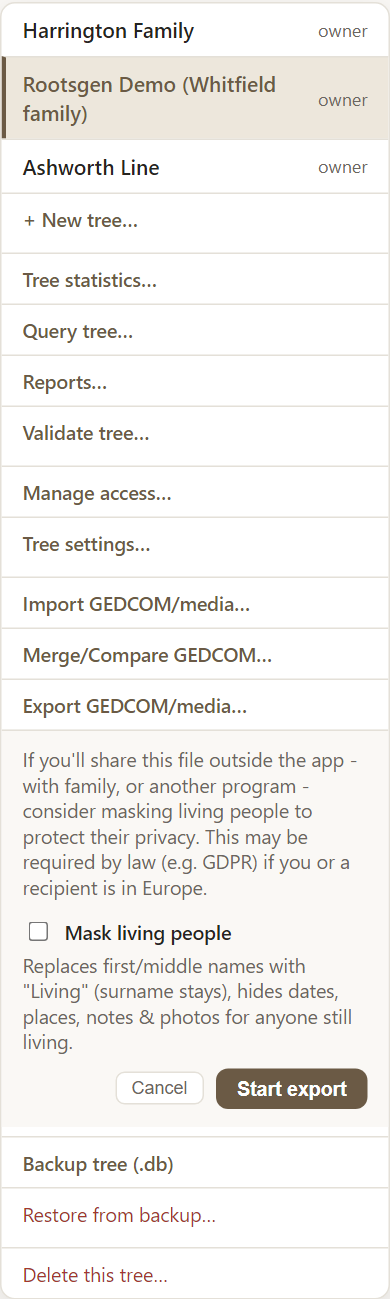
With masking on, for every person still marked as living:
- their given and middle names become Living, and the surname stays, so a tree still reads as a family
- their dates, places, occupations, notes and source citations are left out
- their photos are left out, unless the same photo also shows someone who is not masked
- face tags naming them are removed, even from photos that do ship
Relationships are kept, so the shape of the tree is intact, and families' marriage and divorce facts are not masked.
Masking is off by default and is not remembered, because the same export is also how you copy your own data. You choose each time. See exporting your tree.
Masking a CSV from Query tree
Exporting search results to a spreadsheet offers the same choice. The Given column becomes "Living" and birth and death dates and places are left blank.
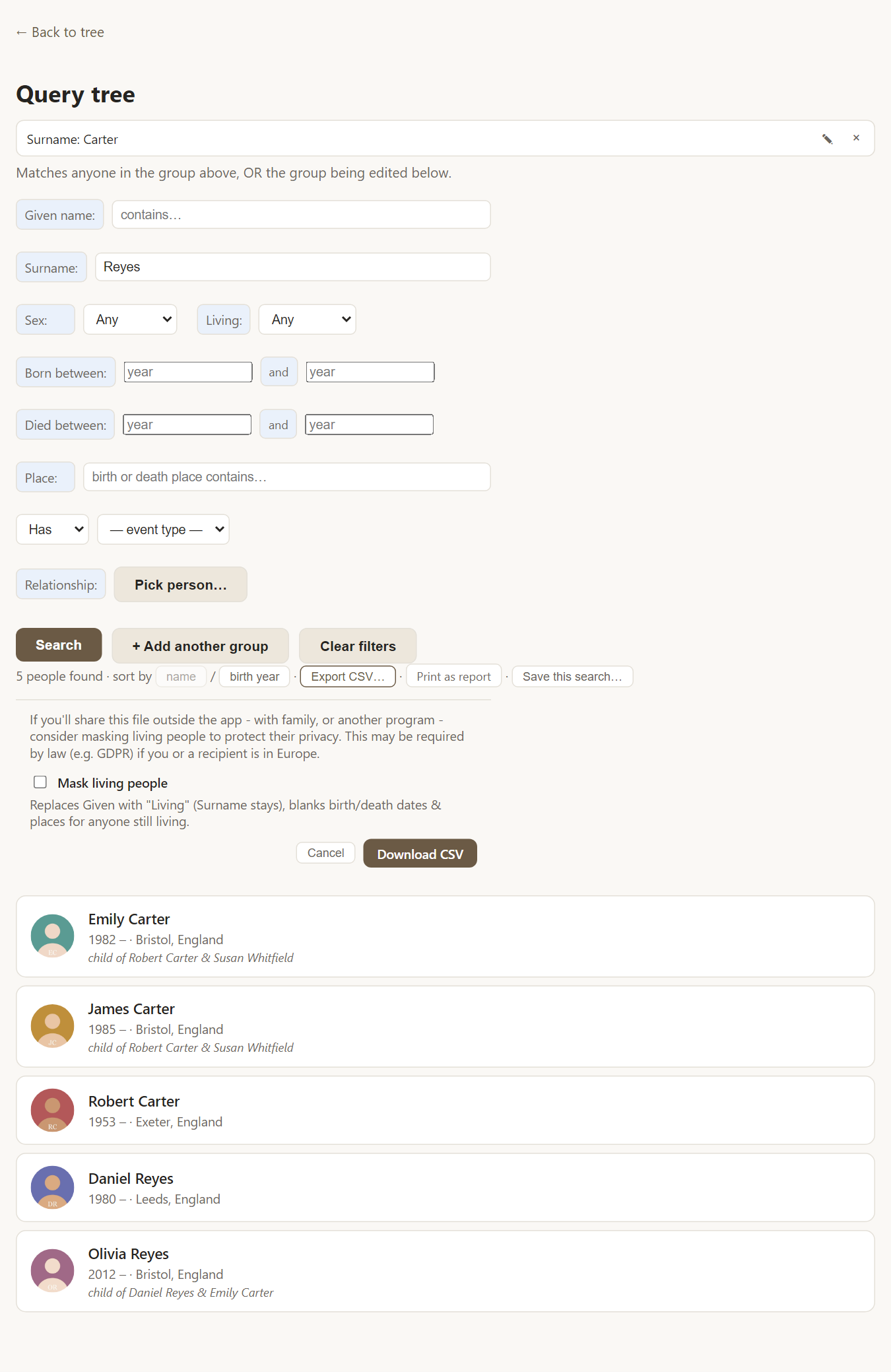
Editors and viewers cannot turn masking off. Only the tree's owner and co-owners may choose to export unmasked data, so a person with limited access can never take living relatives' details out of the tree.
What is not masked
Backups are deliberately unmasked, because a backup exists to restore your data exactly. They are for you. Printed reports are for people who already have access to the tree.
Frequently asked questions
How does Rootsgen know who is living? A person with no recorded death is treated as living. If you know someone has died, add the death date, or a death place, and they are no longer masked.
Is masking the same as a legal opinion? No. It is a practical tool. If you publish or share family data widely, check the rules that apply to you.
Can I share my whole tree publicly? Rootsgen does not publish trees. Invite the people you choose, or share a masked export.