Add parents, spouses, children and siblings to your family tree
A family tree grows one relative at a time. From any person you can add their father, mother, siblings, spouses and children, and each new person is connected to the right family automatically.
Where the controls are
Scroll the editable record to its lower half. Parents, Siblings and Spouses each have their own section.
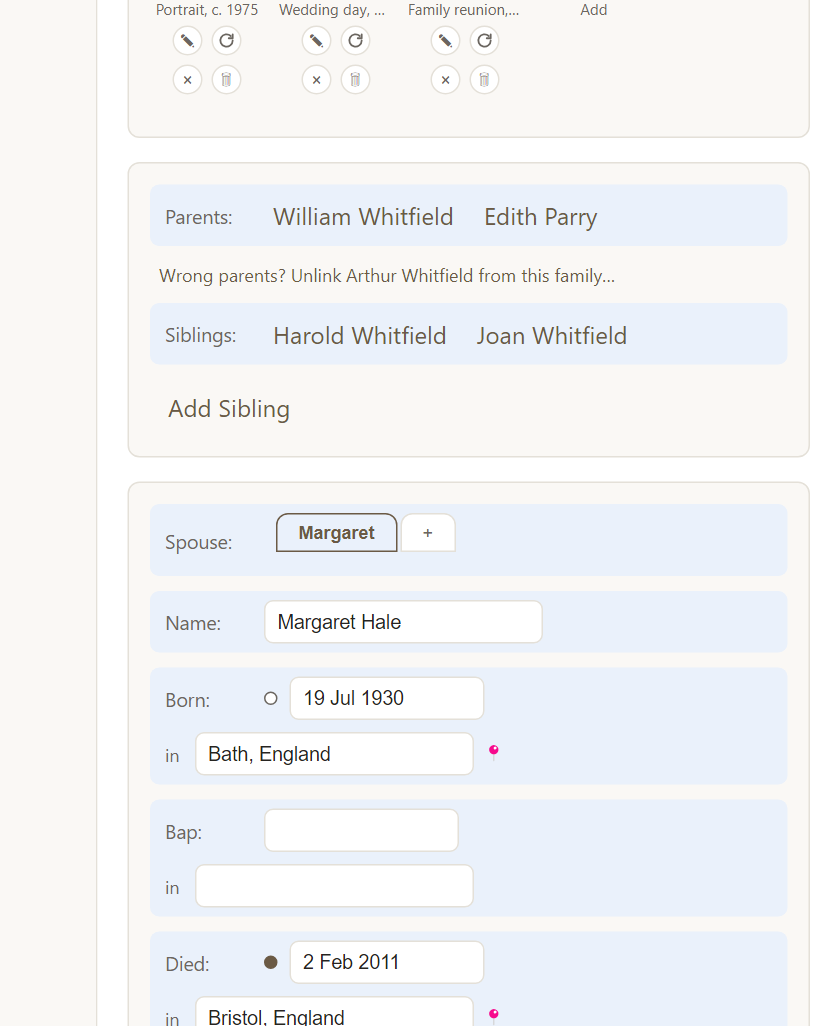
- + Add Father and + Add Mother appear where a parent is not recorded yet. Where a parent is recorded, their name is a link to their page.
- Siblings lists brothers and sisters, with Add Sibling below.
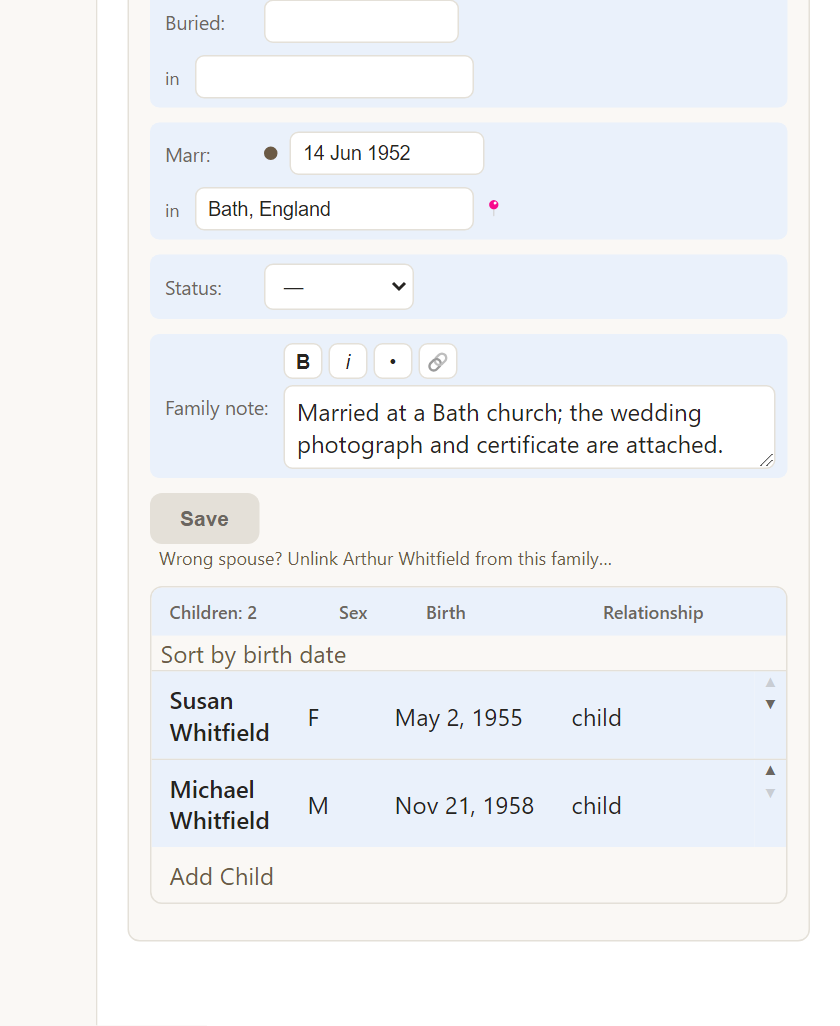
- Spouses lists each marriage, with a + button for a new spouse and children under each marriage.
Link someone who exists, or create someone new
Each Add button opens a small search box. Type a name to link someone already in your tree, or choose to create a new person. Creating a person from a family pre-fills the likely surname, so you usually only have to type a given name.
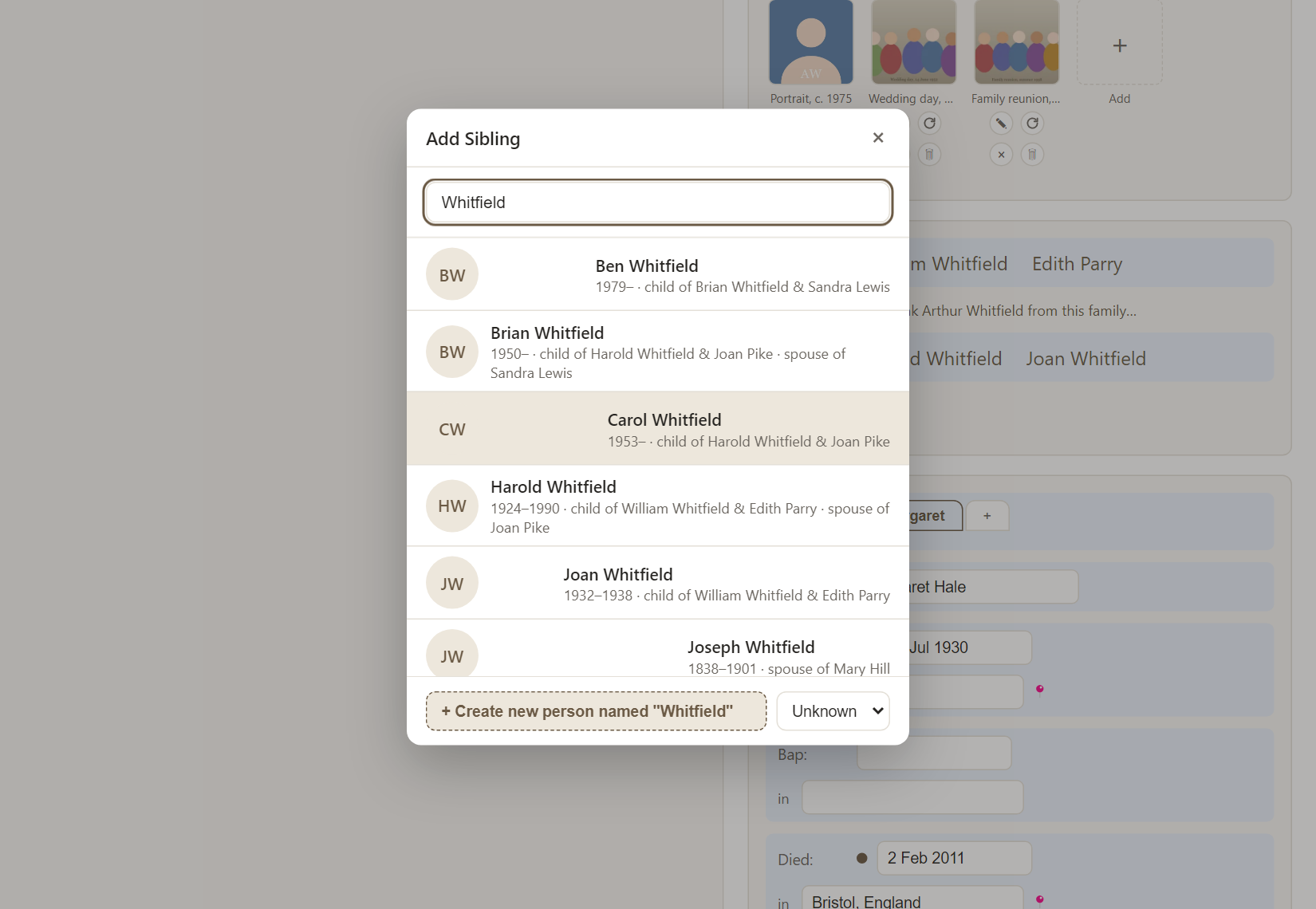
Linking an existing person is how you connect two branches that were entered separately, without duplicating anyone.
More than one marriage
A person can have any number of spouses. Use the small ▲ and ▼ arrows beside each marriage to put them in the right order, and children stay with the marriage they belong to. In the descendant chart and reports, every spouse appears in full.
Fixing a wrong connection
If someone is attached to the wrong parents, choose Wrong parents? Unlink … from this family…. Only that person is disconnected. Their siblings, and the parents themselves, stay exactly as they are. You can then link them to the right family. A marriage can be removed in the same careful way.
A person with no family yet
The + New Person button at the top of every page creates a standalone person. It is useful for someone you have found in a record but cannot place yet. Validate lists people who are not connected to anyone, so they are easy to find again.
Frequently asked questions
Will Rootsgen create duplicates if I add an existing relative? Choose the existing person from the search results and they are linked, not copied. Validate also flags duplicate-looking people.
What about half-siblings? They appear with the right parent. A parent with two marriages shows children under each.