Your account menu: preferences, feedback and sign out
In the top right corner of every page is a round button showing the first letter of your name. It opens your account menu. While Tree options is about the tree you have open, this menu is about you, and it is the same whichever tree you are in.
What is in the menu
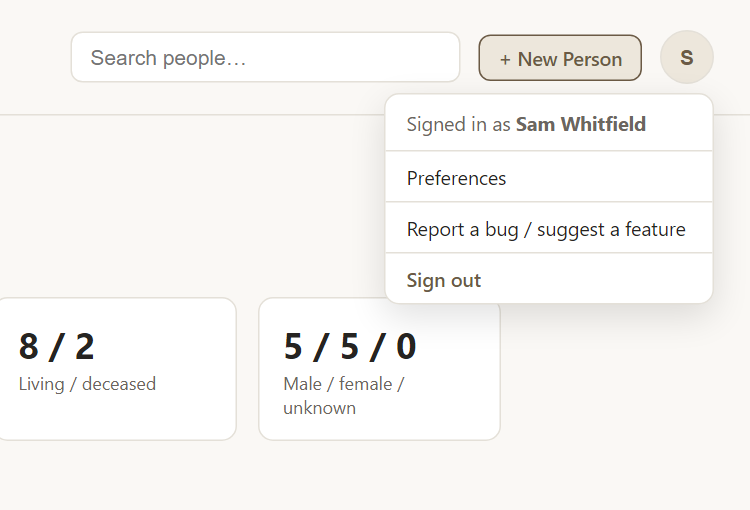
- Signed in as … shows which account you are using, useful if you share a computer.
- Preferences opens your personal settings: passkeys, recovery code, display name, colors, date formats and more. See Preferences.
- Report a bug / suggest a feature sends a note to the people who run Rootsgen, including the page you were on. See reporting a bug.
- Sign out ends your session on this device.
Site administrators see a few extra items in the same menu for looking after the whole service. Ordinary accounts never see them.
Why there is no menu bar
Rootsgen deliberately keeps its controls in just two places: Tree options for the tree, and this menu for you. There is no ribbon or toolbar to learn. If you cannot find something, it is in one of these two menus.
Frequently asked questions
Why is the button a letter? It is the first letter of your display name, or of your username if you have not set one. You can change your display name in Preferences.
I signed in on a shared computer - how do I leave safely? Choose Sign out. It ends the session and, for extra safety, invalidates the sign-in so it cannot be reused.
Does the account menu change with the tree? No. It shows the same options everywhere. Anything specific to a tree is in Tree options.