Report a bug or suggest a feature
Rootsgen is improved by the people who use it. If something is broken, confusing, or missing, you can tell us from inside the app in a few seconds, without writing an email or hunting for the details a developer would need.
Where to find it
Choose Report a bug / suggest a feature from your account menu, the round button at the top right. You need to be signed in, which keeps out spam.
What to fill in
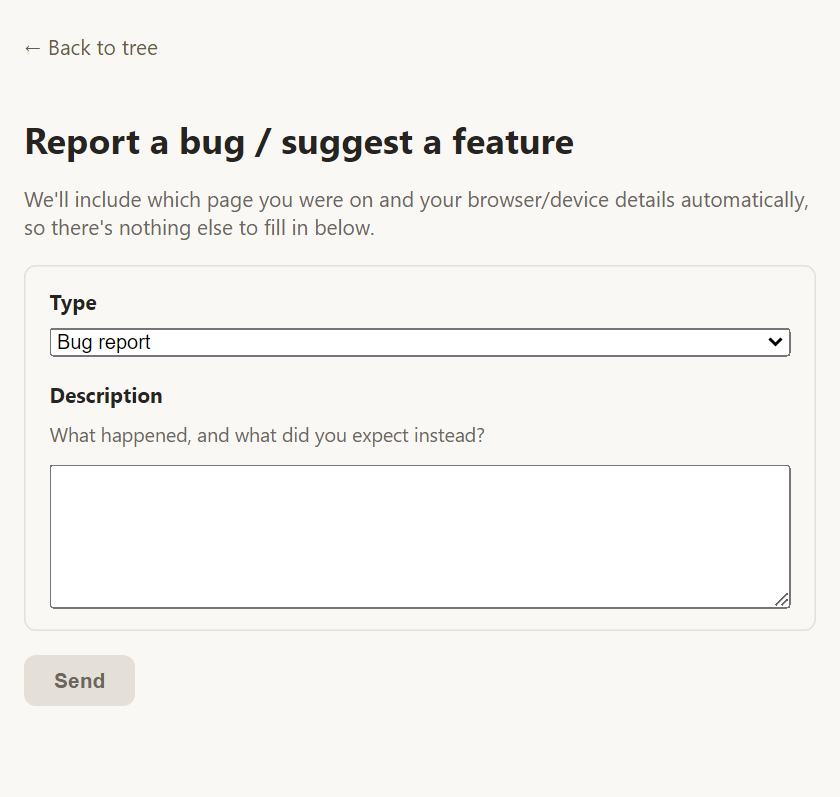
- Type - choose Bug report, Enhancement request or Other feedback.
- Description - say what happened and what you expected instead. For an idea, say what you would like to be able to do.
- Your email (optional) - only if you would like a reply. Rootsgen accounts do not otherwise have an email address on file.
That is all. Press Send.
What is included automatically
To save you explaining, Rootsgen adds these details itself:
- The page you were on when you opened the form, and the name of the tree.
- Your browser and device details and the size of your window.
Nobody has to ask "which page was that?" or "what phone are you using?", so a problem can often be fixed the first time.
What happens next
Your report goes to the site's administrators by email and to an in-app list. If you gave an email address in the form, they can reply to it directly.
Tips for a useful report
- Say what you clicked and what you expected to happen.
- If a message appeared, copy the wording.
- One problem per report is easier to fix than several in one.
Frequently asked questions
Do I need an account to report a bug? Yes. Reporting is for signed-in users - that's what keeps spam out. If you'd also like a reply, add an email address in the form itself.
Will I get an answer? Reports are read by a person. If you gave an email address in the form, you may get a reply by email; sensible ideas are collected for future improvements either way.
Is my tree data included in the report? No. Only the page address, the tree's name, and your browser details are attached. Nothing inside the tree is sent.