Display preferences: date formats, UPPER CASE surnames and colors
Genealogists disagree about how dates and names should look, so Rootsgen lets you choose. These options change only how information is displayed to you. They never alter what is stored in the tree, so they are safe to try and turn off again. They are all in Preferences, and save as you change them.
Dates
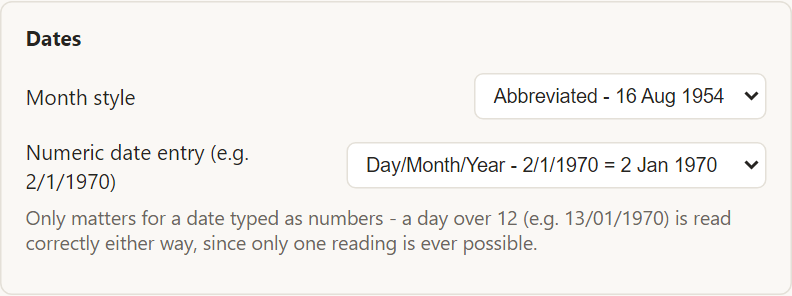
Month style controls how dates read across the app:
- Abbreviated - 16 Aug 1954
- Full - 16 August 1954
Numeric date entry decides how a date typed as numbers is understood, such as 2/1/1970:
- Day/Month/Year - 2/1/1970 means 2 January 1970
- Month/Day/Year - 2/1/1970 means 1 February 1970
This only matters for dates where the reading is ambiguous. A day above 12, such as 13/01/1970, is read correctly either way, because only one reading is possible.
Approximate and partial dates - about 1850, before 1900, between two years, or a year alone - are all understood however you enter them.
Names
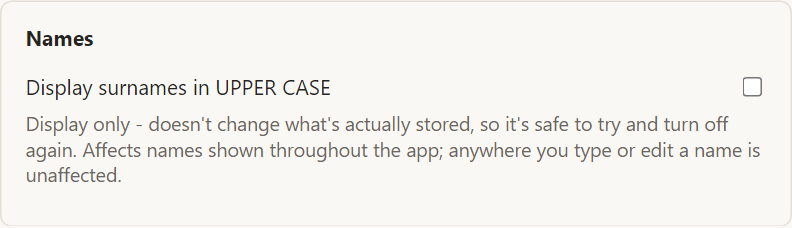
Tick Display surnames in UPPER CASE and every surname shown in the app is capitalized, a common way to tell a family name from a given name, such as Arthur WHITFIELD. Only the display changes. Wherever you type or edit a name, you see and enter it normally.
Colors
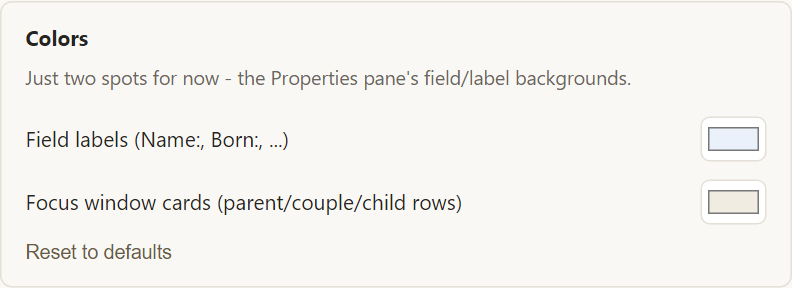
Two colors can be changed:
- Field labels - the background behind labels such as Name and Born in the editable record.
- Focus window cards - the cards for parents, couples and children on the left of the person view.
Pick any colors that are comfortable to read. A darker or higher-contrast tint can help in bright light or on a small screen. Reset to defaults restores the originals.
Frequently asked questions
Do other people see my colors and formats? No. They are part of your account only. Everyone sees the app in their own preferred style.
Does UPPER CASE change my data? No. It is display only. Turn it off and names appear exactly as stored.
Do these settings work on my phone and iPad? Yes. They are stored with your account and apply on every device you sign in on.