Restore a family tree from a backup, safely
Restore from backup replaces a tree's current contents with a backup you made earlier with Backup tree (.db). Because a restore overwrites live data, Rootsgen puts several safeguards around it so that you cannot do it by accident, or lose work you did not mean to lose.
Where to find it
Open Tree options → Restore from backup…. It is available to the owner and co-owners.
What a restore does
It completely replaces the tree's current people, families and photos with what is in the backup. Anything added or changed since the backup was taken is lost. It works only with a "Backup tree (.db)" download, not with a GEDCOM export. To use a GEDCOM file, import it into a new tree instead.
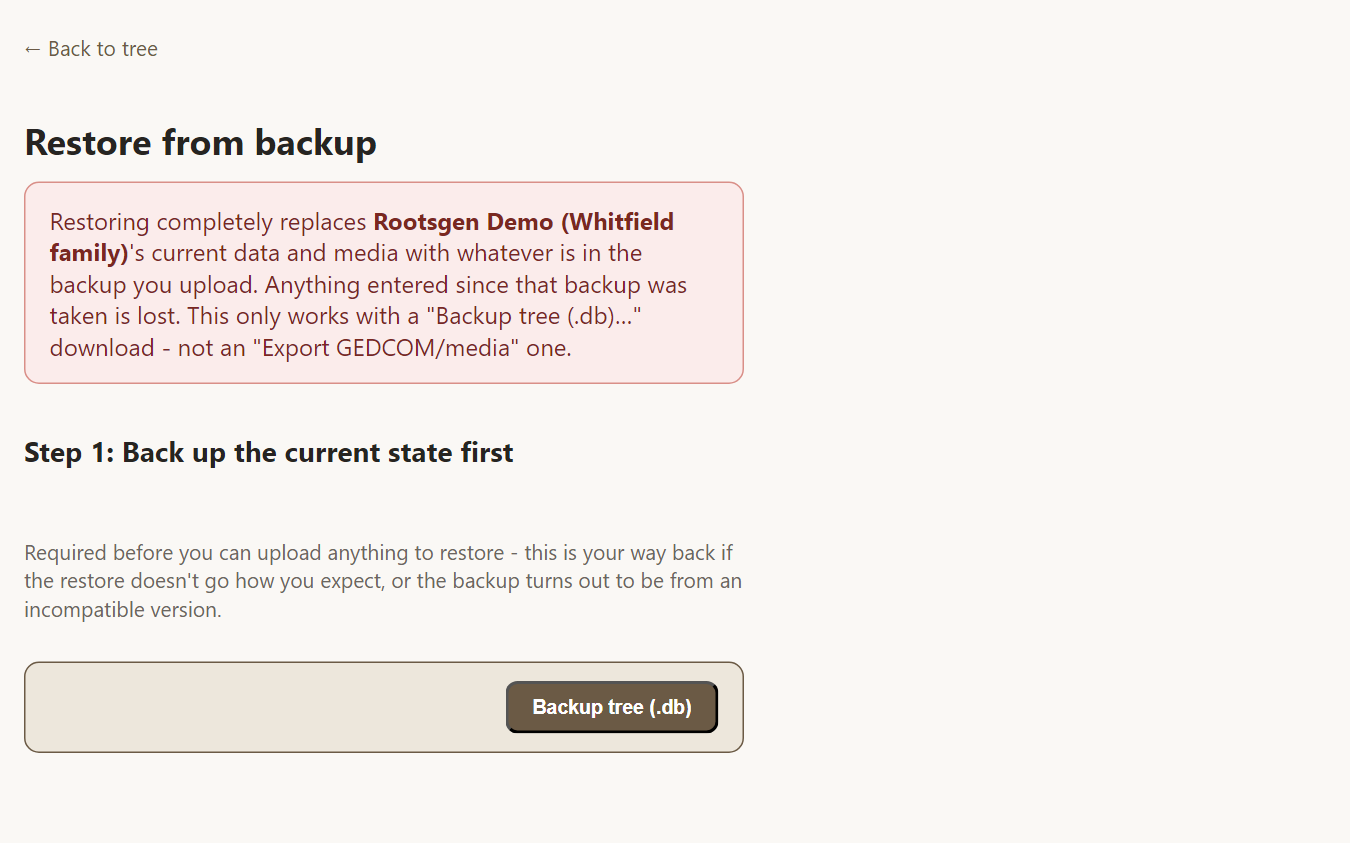
The three steps
- Back up the current state first. This is required, not a suggestion. The upload step stays hidden until a fresh backup of the tree as it is now has been built and downloaded, so you always have a way back if the restore is not what you expected. Rootsgen checks this on its own server, so it cannot be skipped.
- Upload the backup you want to restore. Rootsgen opens it read-only and shows a comparison of people, families and media in the backup and in the live tree. Nothing has changed yet.
- Confirm. You type the tree's exact name to confirm, and only then does the restore run.
After restoring
The tree is exactly as it was when the backup was taken. If the backup came from an earlier version of Rootsgen, the tree is upgraded to the current format automatically the next time it opens.
Frequently asked questions
Can I undo a restore? Yes - that is what the mandatory safety backup in step 1 is for. Restore that backup and you are back where you started.
Will it merge the backup with my current data? No. A restore replaces; it does not merge. To combine data, use Merge/Compare with a GEDCOM export.
Can I restore a backup into a different tree? A backup is restored into the tree it is being uploaded from. To create a copy, create a new tree, and import an export of the original.