Back up your whole family tree: the complete, restorable .db backup
A backup is a full, faithful copy of a tree, kept somewhere other than Rootsgen. If a tree is ever damaged, deleted by mistake or changed in a way you regret, a backup is how you get back exactly where you were.
Where to find it
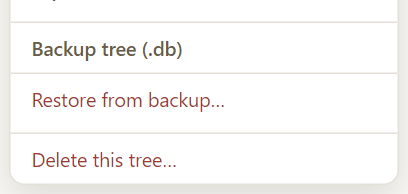
Open Tree options → Backup tree (.db). It is available to the owner and co-owners. It starts straight away with no further questions.
What you get
The download is a zip containing a copy of the tree's own database file and its photos and thumbnails. Because it is a straight copy rather than a converted file, it includes everything in the tree, including face tags, saved searches and settings that no GEDCOM file can hold.
Like the GEDCOM export, it is built in the background. The menu item shows Preparing, then Zipping with a file count, then a "Downloaded" tick when your browser has the file.
Backup versus export - which one?
| Backup tree (.db) | Export GEDCOM/media | |
|---|---|---|
| Purpose | Restore this tree exactly | Move data to other software |
| Complete | Yes, everything | Standard GEDCOM data only |
| Use in other programs | No | Yes |
| Restore in Rootsgen | Restore from backup | Import as a new tree |
Many people keep both: an export for portability, and a backup for safety.
Where to keep it
A backup only protects you if it is stored somewhere else: an external drive, a cloud drive, or a home server. A copy you hold yourself is the one you control.
Frequently asked questions
How often should I back up? After any big session of editing, an import or a merge. A merge cannot be undone inside the app, so Rootsgen asks you to export first.
Is the backup private? It contains everything in the tree, including living people. Keep the file somewhere you would keep any private family papers.
Can I open the .db file myself? It is a standard database file, but you do not need to. The Restore page reads it for you.