Places and maps: locate every birthplace and burial on your family tree
Where something happened matters as much as when. Rootsgen keeps places tidy, lets you pin them on a map, and shows you every event that happened in a village, parish or town.
Places you type once
The place boxes in the editable record suggest places already in your tree as you type, so "Bristol, England" is always spelled the same way. Consistent names make the Places Report and searches much more useful.
Pin a place on a map
A small pin beside a place means it has a location. Click it to see the location on an OpenStreetMap map.
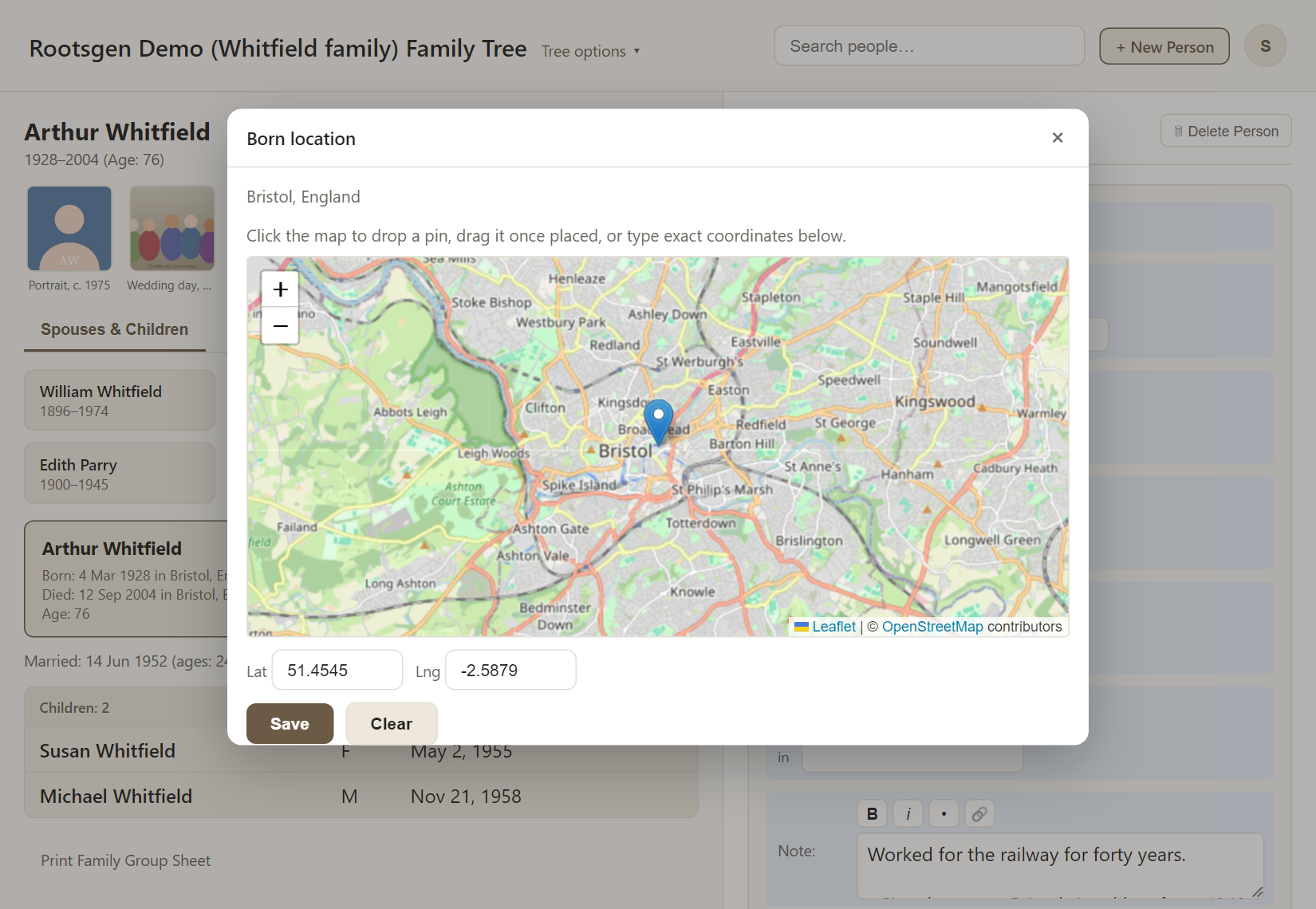
You can:
- click the map to drop a pin, then drag it to refine it
- type exact coordinates into the Lat and Lng boxes
- Clear a location that is wrong
Locations come with a GEDCOM file when the file includes them. Otherwise you set them yourself. Rootsgen deliberately does not guess coordinates automatically, because automatic place-name matching can put a small English parish on the wrong continent. The most accurate location is the one you choose.
Explore places with the Places Report
The Places Report groups events by place. Type a place name and choose it to see every event recorded there, with the people involved.
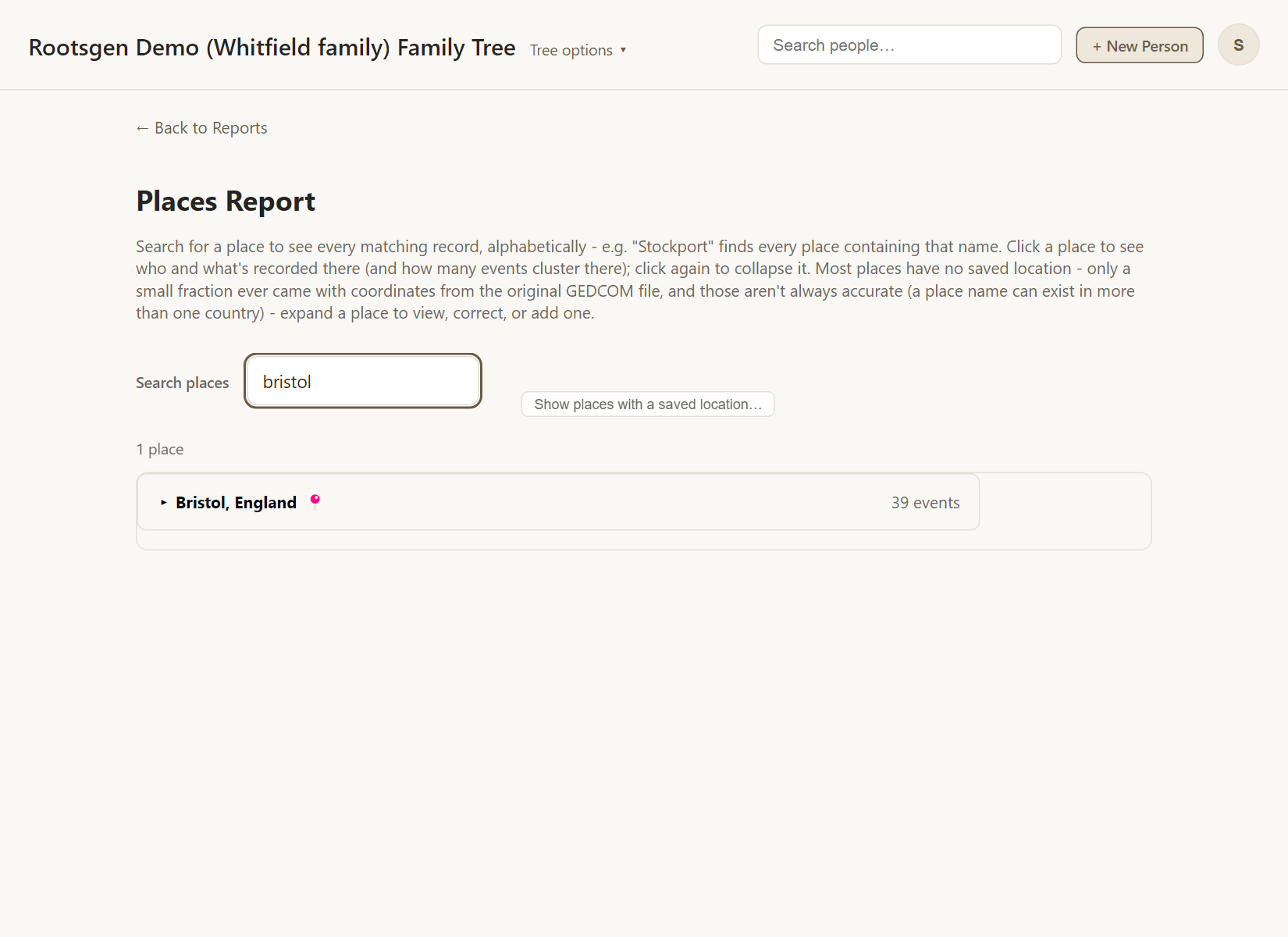
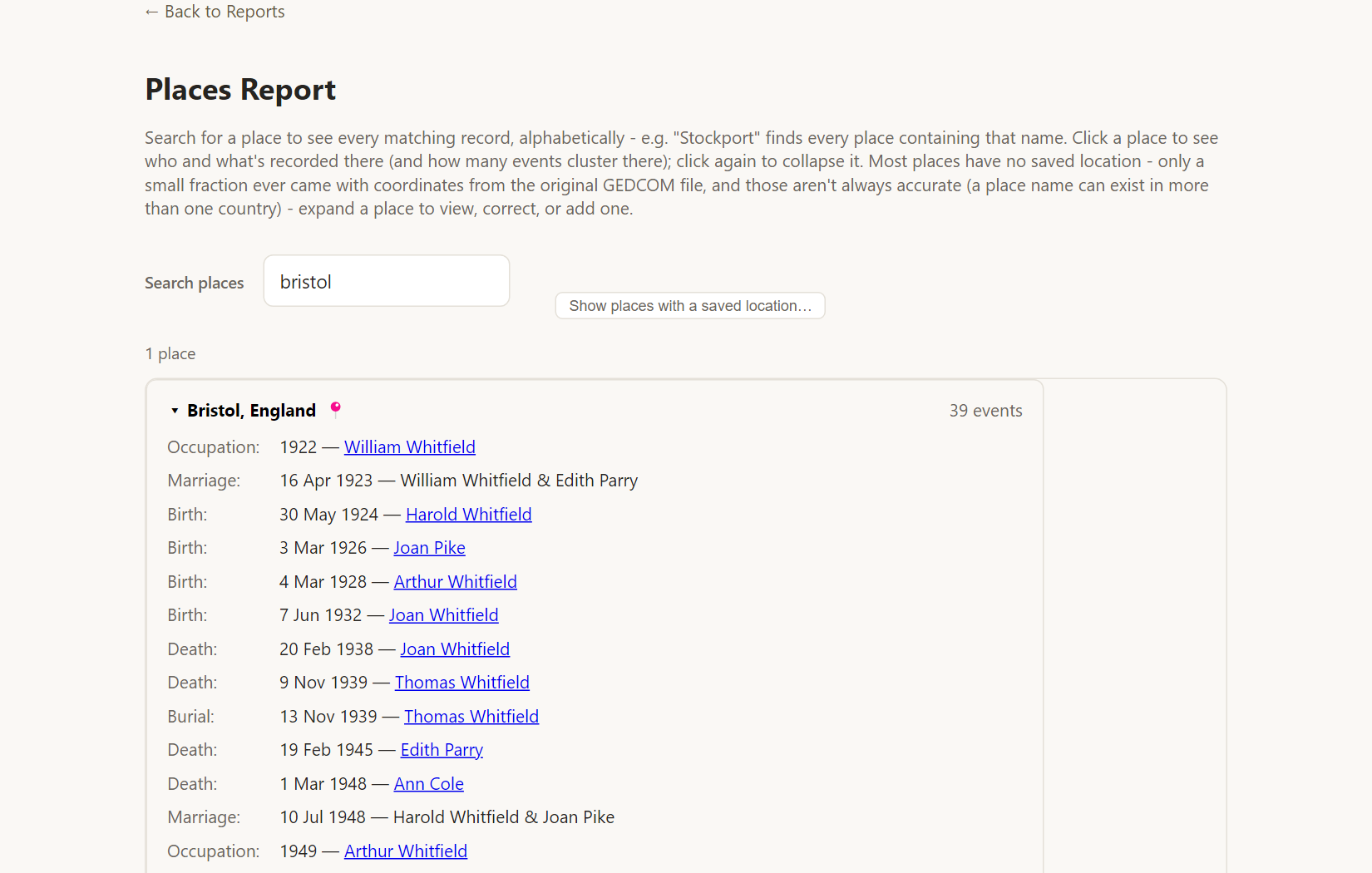
See the Places Report for more.
Frequently asked questions
Why is the map blank? Maps load from OpenStreetMap over the internet. If you are offline, the pin position is still saved.
Do places need coordinates? No. Coordinates are optional and only needed for the map.
Two spellings of one place appear separately. What now? Edit the place on the people concerned so they match. The Places Report joins places that differ only in spacing or capital letters.